



 Front-end
 Back-end
 Full Stack Developer
 Mobile
 Other
Other


 Company
 Contact Us
![How to Build a Personal Finance App Using FlutterFlow [6 Steps Guide]](/_next/image?url=%2Fapi%2Fimage%2Fapp%2Fmedia%2Fblog%2F1731994707413_How%20to%20build%20personal%20finance%20app%20using%20flutterflow.png&w=2048&q=75)
Want to build a personal finance app using a visual app development platform?
Do you know?
With FlutterFlow, you can easily create an app that lets users track expenses, set budgets, and manage their money - using simple drag-and-drop tools. It makes FluterFlow an excellent choice for app development or MVP development.
In this 6-step guide, we’ll show you exactly how to build a beautiful and fully functional finance app from scratch. Also, you will get the reasons for developing a personal finance app and its development cost.
What is a Personal Finance App?
A personal finance app is a mobile or desktop application that helps users to manage their money more effectively. These apps typically allow users to track their income, monitor spending, set budgets, manage bills, and even save for financial goals.
Why Should You Develop a Personal Finance App Using FlutterFlow?
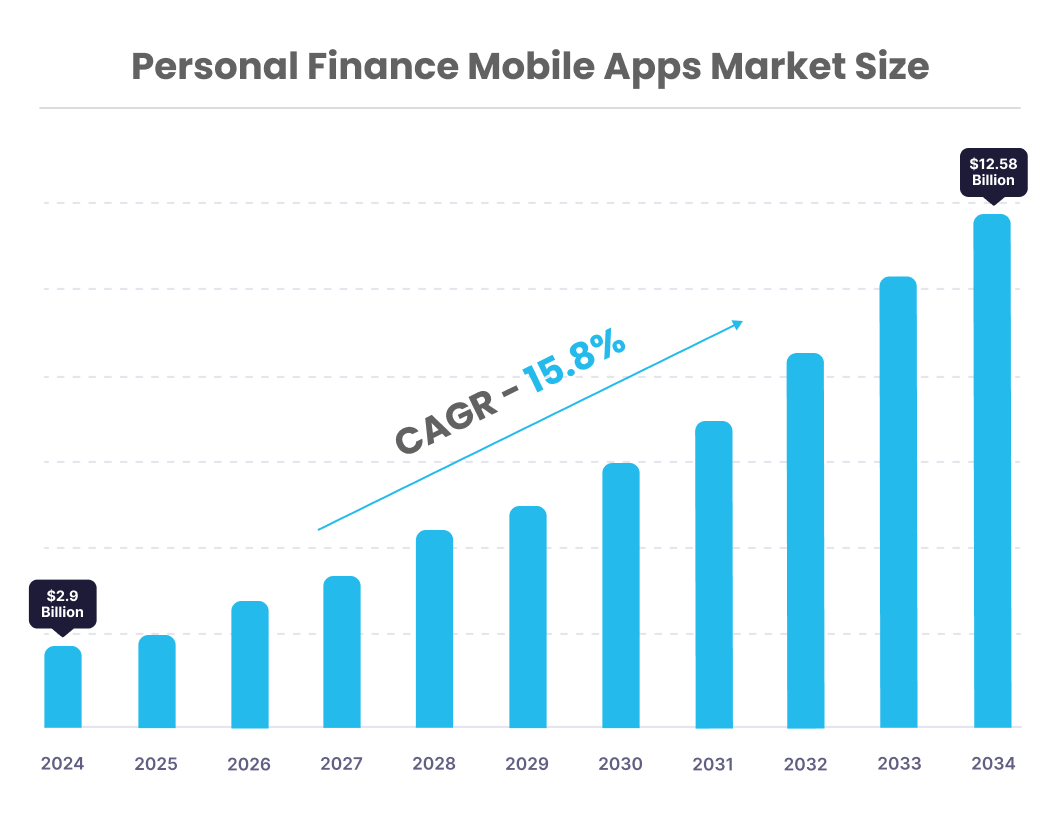
A market study of personal finance mobile apps, including Free/Premium and Paid apps for tracking expenses & budgeting, investments, universal use, and payments, from 2024 to 2034, by Fact.MR.
- Worldwide revenue from personal finance mobile apps is projected to increase at a CAGR of 15.8%, reaching approximately $12.58 billion by the end of 2034.
- North America is estimated to hold a share of 24.3% of the global market by the end of 2034.
- Worldwide demand for paid personal finance mobile apps is expected to grow at a CAGR of 15.7%, reaching a market value of $6.71 billion by 2034.
- Demand for personal finance apps in South Korea is projected to accelerate at a CAGR of 16.6% through 2034.
- The market in Japan is forecasted to expand at a CAGR of 16.4% from 2024 to 2034.
What is FlutterFlow?
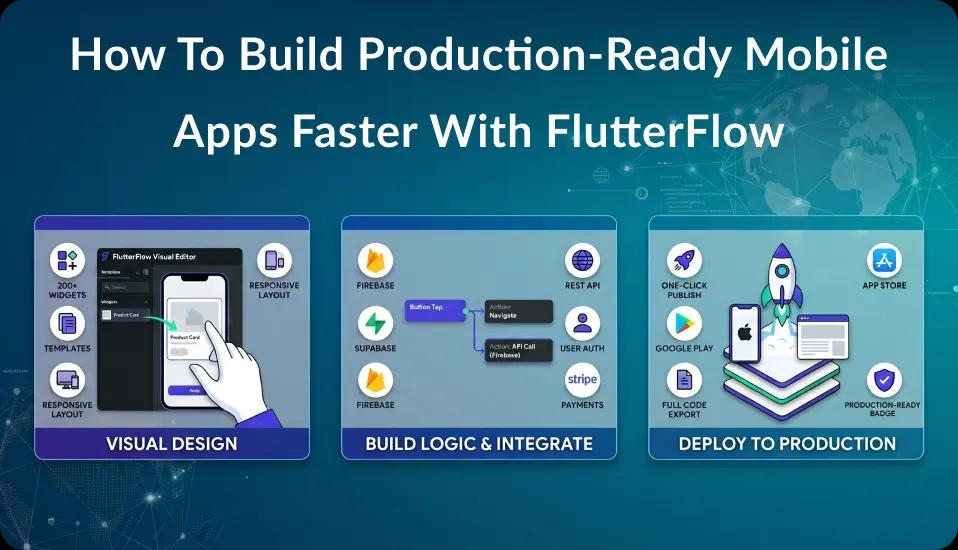
FlutterFlow is a visual app development platform that allows you to design and build apps visually. You can create apps faster by dragging and dropping elements instead of coding everything from scratch. If you want to learn more about FlutterFlow in detail like,
- What is FlutterFlow?
- What are the Key Features of FlutterFlow?
- When to Choose FlutterFlow?
- Who Can Benefit Most from FlutterFlow?
- Flutter vs FlutterFlow - Key Differences
Check out our detailed article on What is FlutterFlow and How is it Different from Flutter? so you can get complete knowledge about FlutterFlow.
FlutterFlow is Best For:
FlutterFlow is ideal for entrepreneurs and startups looking to quickly prototype and launch their app ideas cost-effectively without extensive coding skills. It’s also great for small business owners wanting to create custom apps to enhance customer engagement.
Additionally, non-technical founders and product managers can benefit from its user-friendly interface, allowing for rapid design iterations. Whether you’re new to app creation or a developer looking to try no-code solutions, FlutterFlow helps you bring your project to life.
How to Develop a Personal Finance App Using FlutterFlow in 6 Simple Steps?
Step 1 - Planning the Personal Finance App
Before we move ahead to building a personal finance app, it’s important to plan your app. Think about who will use it and what features are necessary. Common features of a personal finance app include:
- Budget Tracking: Users can set budgets and track their spending.
- Expense Categories: Users can categorize expenses to see where their money goes.
- Savings Goals: Users can set and track savings targets.
- Reports: Users can view their financial health over time through charts and summaries.
Step 2 - Setting Up the FlutterFlow Project
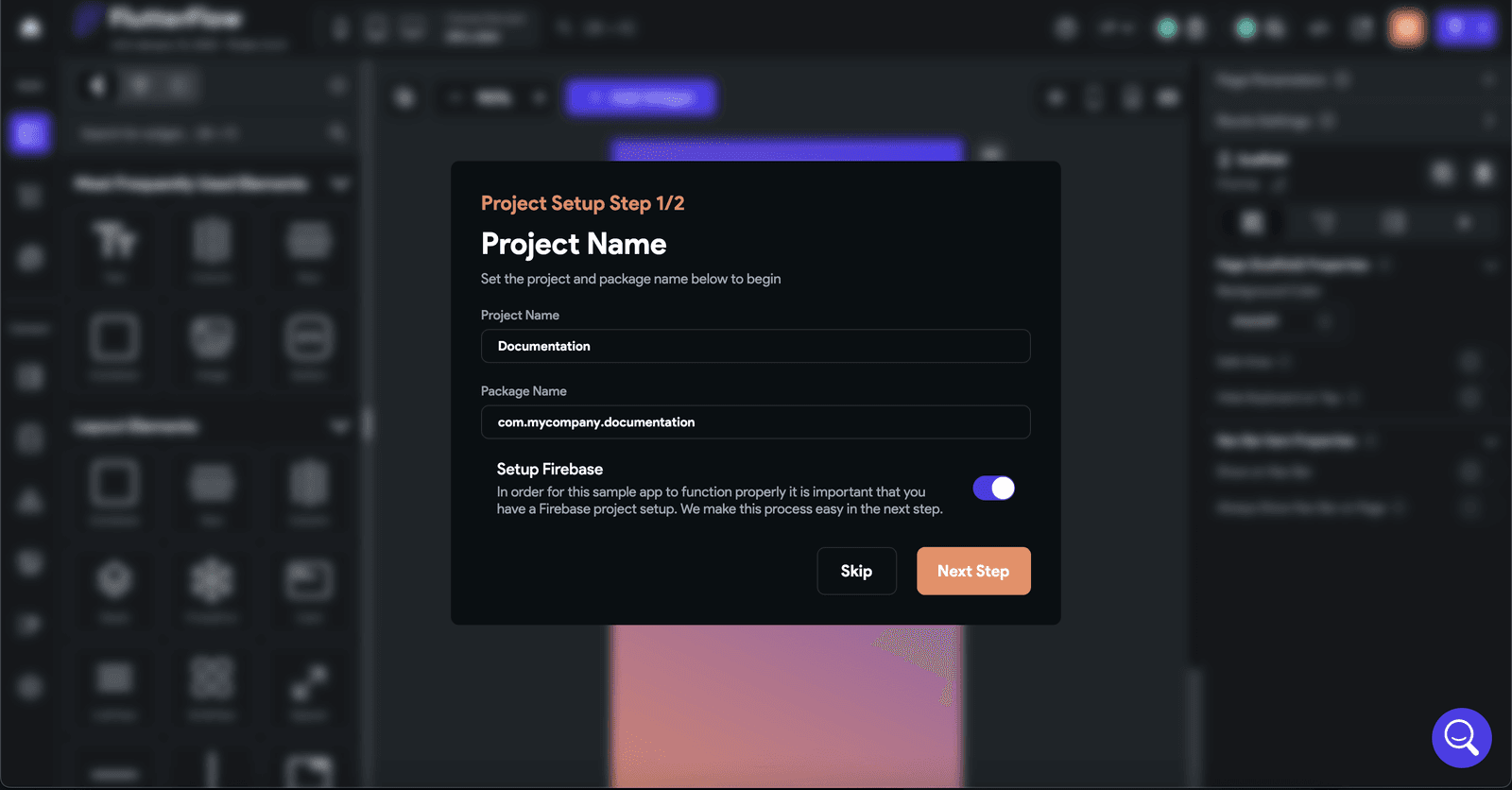
- Create an Account: Go to the FlutterFlow website and sign up for an account.
- Start a New Project: Click on “Create New Project” and choose whether to start from a template or a blank slate.
Step 3 - Designing the User Interface
A good user interface is crucial for a finance app. Here are some important elements to consider:
- Navigation: Users should easily find their way around the app.
- Forms: Create simple forms for users to input their income and expenses.
- Dashboard: Design a dashboard that gives users an overview of their financial situation.
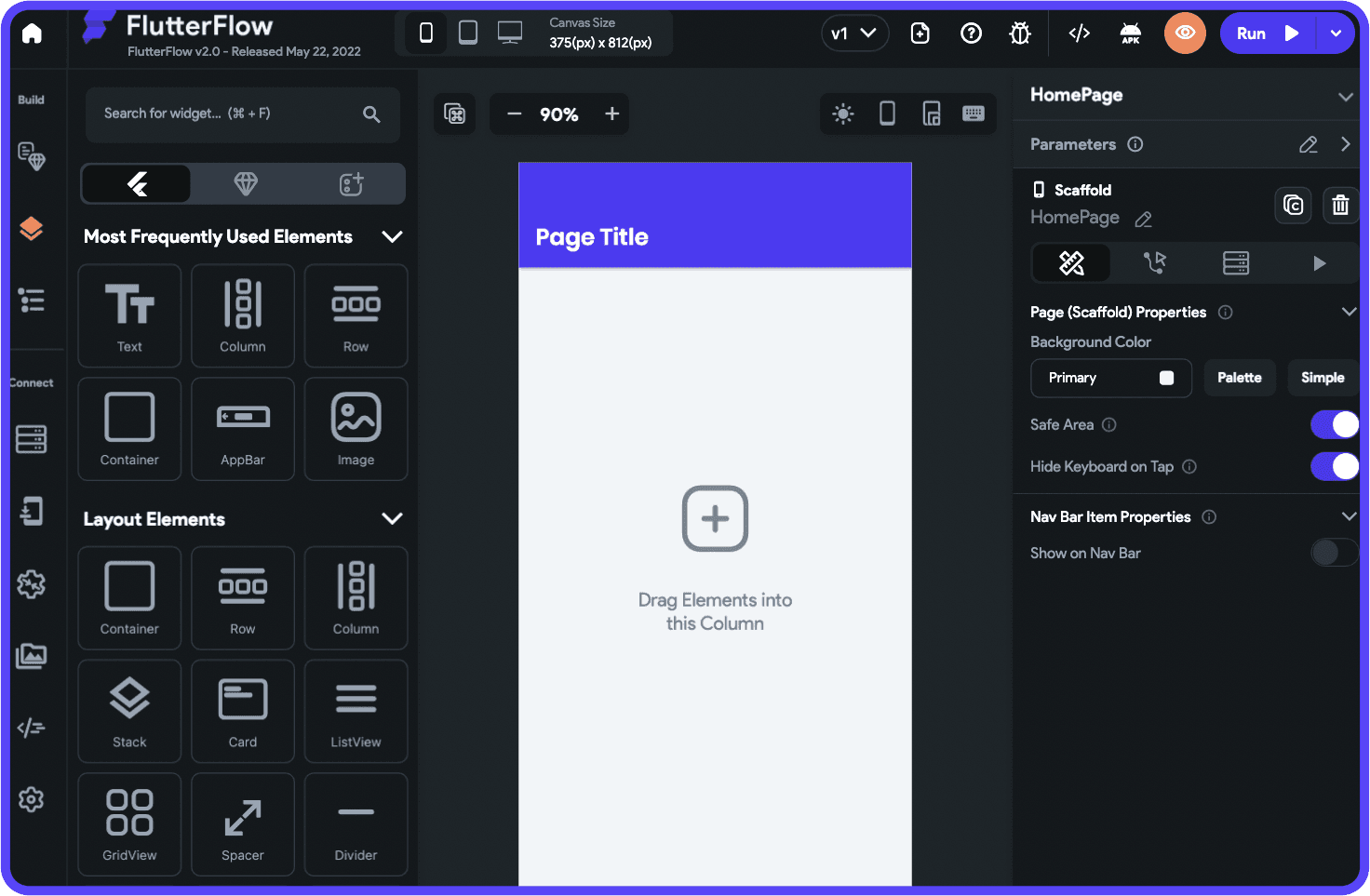
FlutterFlow allows you to drag and drop these components, making the design process straightforward.
Step 4 - Implementing Features
Now it’s time to add the features you planned:
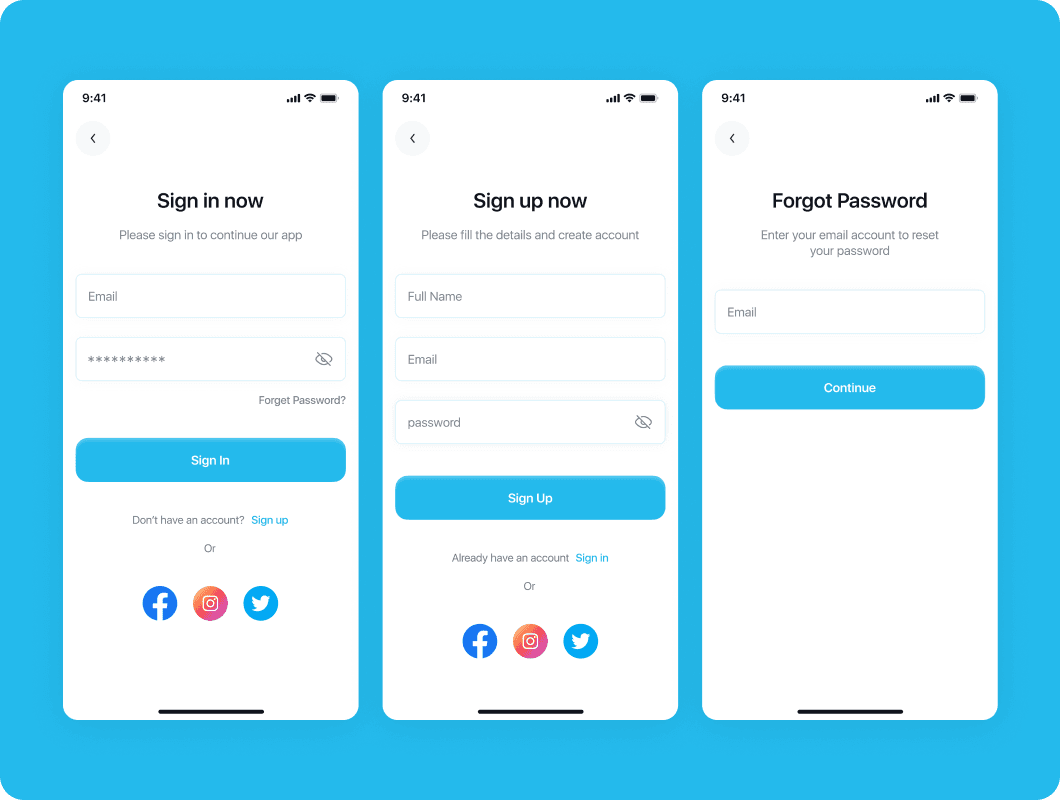
- User Authentication: Set up a sign-up and login process to keep user data safe.
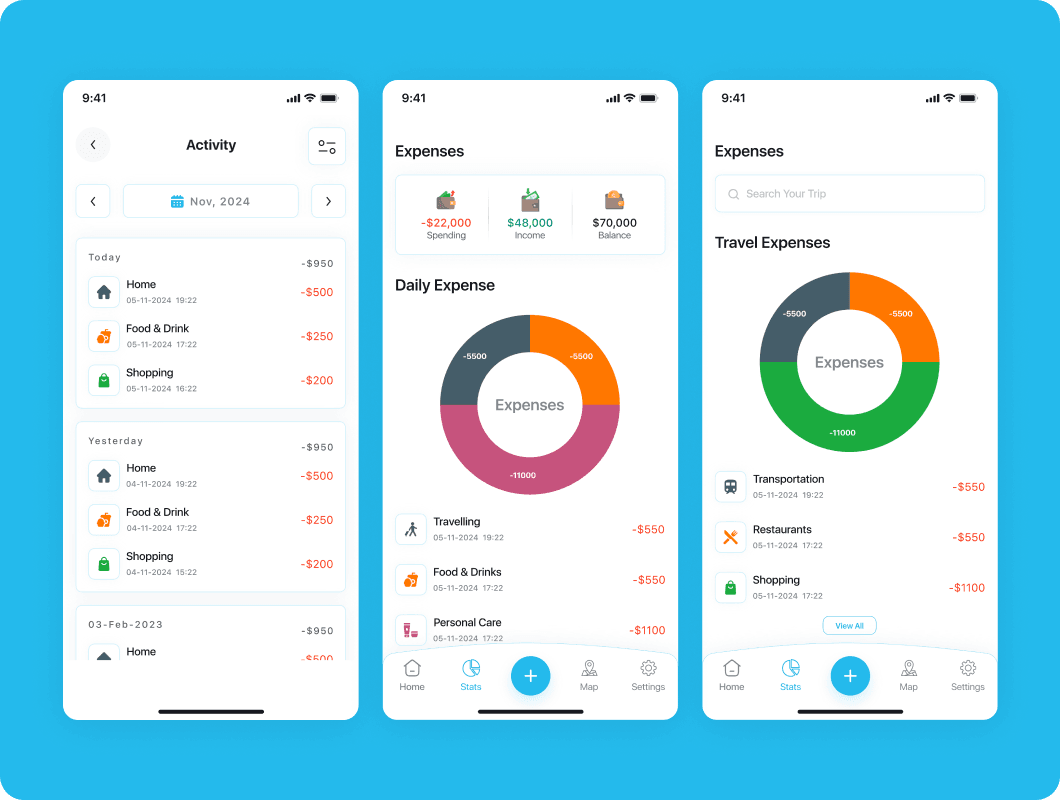
- Expense Tracking: Create a feature where users can input and categorize their expenses.
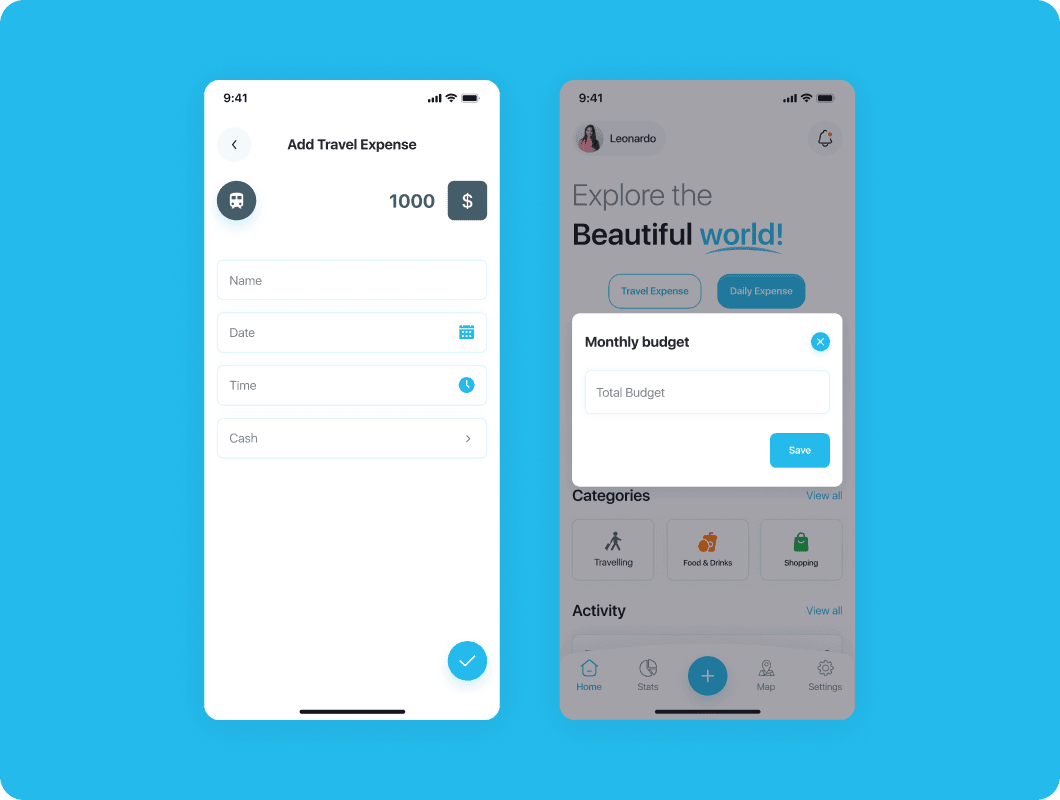
- Budget Management: Allow users to set budgets for different categories and track their progress.
- Data Visualization: Use charts to help users understand their spending habits and financial health.
If you want to integrate external services (like bank data), FlutterFlow supports APIs that can help with this.
Step 5 - Testing the App
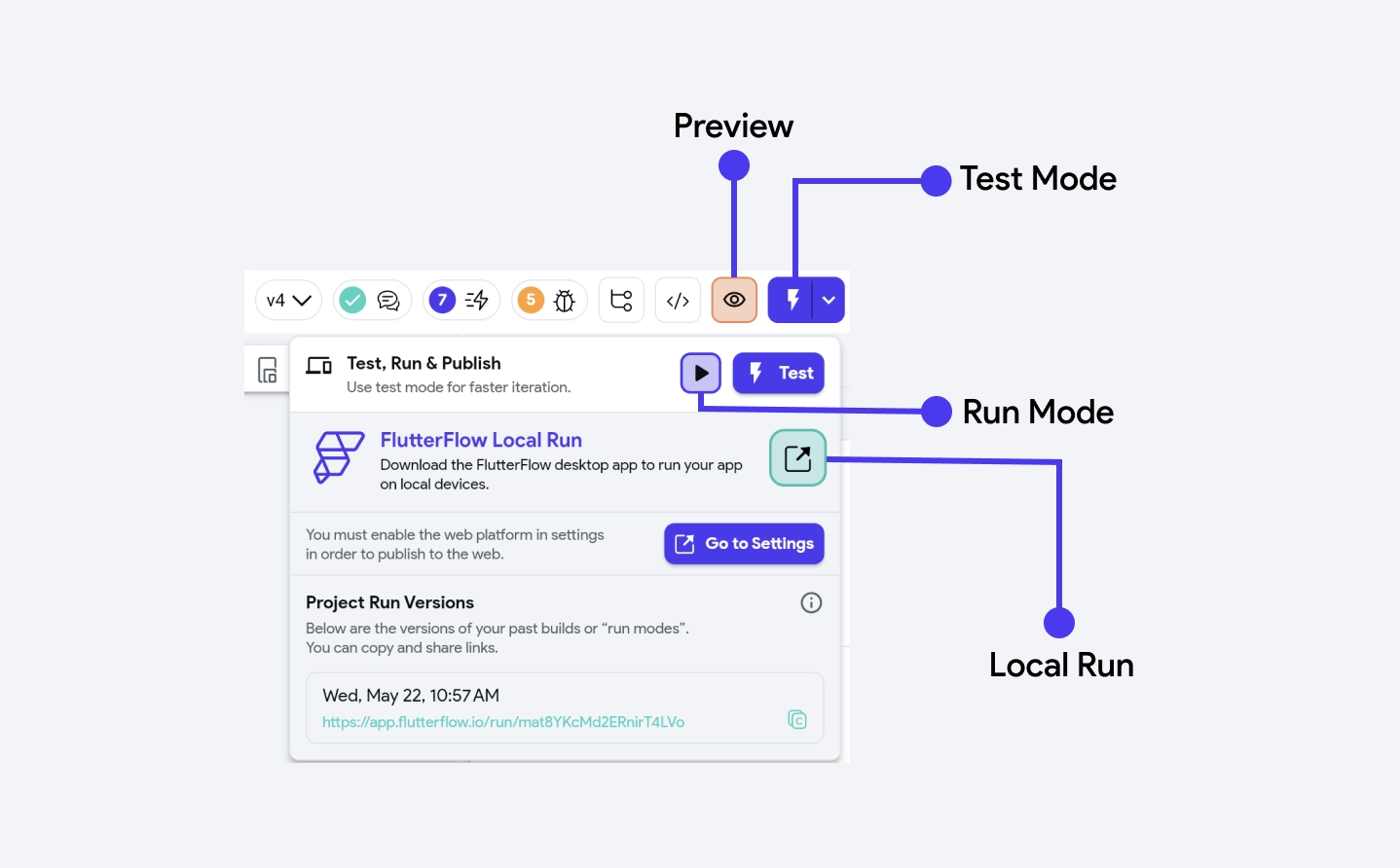
Testing is key to making sure your app works well. Use FlutterFlow’s preview mode to see how everything functions. Ask friends or family to use the app and provide feedback. Make any necessary changes based on their input.
Step 6 - Deploying the Personal Finance App
Once you’re happy with the app, it’s time to launch:
- Final Checks: Make sure everything works and looks good.
- Deploying: Follow FlutterFlow’s instructions to publish your app on the Google Play Store and Apple App Store.
- Marketing: Share your app with friends and on social media to attract users.
Must-Have Features of a Personal Finance App
A great personal finance app helps users stay on top of their spending, save for goals, and feel more in control of their money. Here are some essential features that make a finance app easy to use and valuable for managing finances effectively.
-
Secure Login and Data Protection
With secure login options (like biometrics) and encryption, users can feel confident their financial data is safe. Security features are crucial for gaining users’ trust and protecting sensitive information.
-
Expense Tracking
This feature lets users record each purchase and categorize it, so they can see exactly where their money is going. Over time, users can identify spending patterns, making it easier to adjust their habits and save.
-
Budgeting Tools
With budgeting tools, users can set monthly limits for different spending categories (like groceries or entertainment). This helps them track how much they’re spending versus their budget, so they can make smarter choices.
-
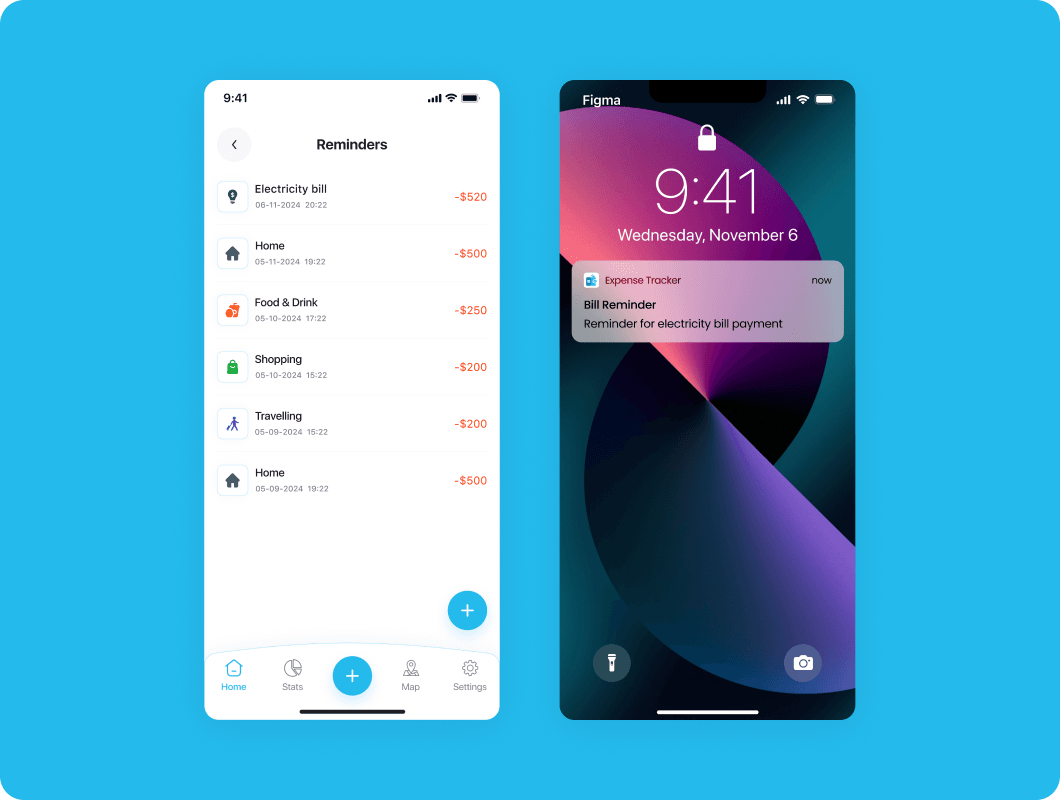
Bill Reminders
Bill reminders notify users about upcoming payments, helping them avoid late fees and maintain a good payment history. A simple alert system can make it easy for users to stay on top of their bills without stress.
-
Goal Setting
Goal-setting features allow users to save for specific goals, like a vacation or emergency fund, by tracking their progress over time. It motivates users to stay disciplined and work towards their financial targets.
-
Reports and Insights
Reports and visual insights, like charts and graphs, help users understand their spending habits at a glance. These insights make it easier for users to spot areas where they could cut back and save more.
These features make a finance app more helpful and user-friendly, guiding users to make better financial decisions every day.
Advanced Features for a Personal Finance App
-
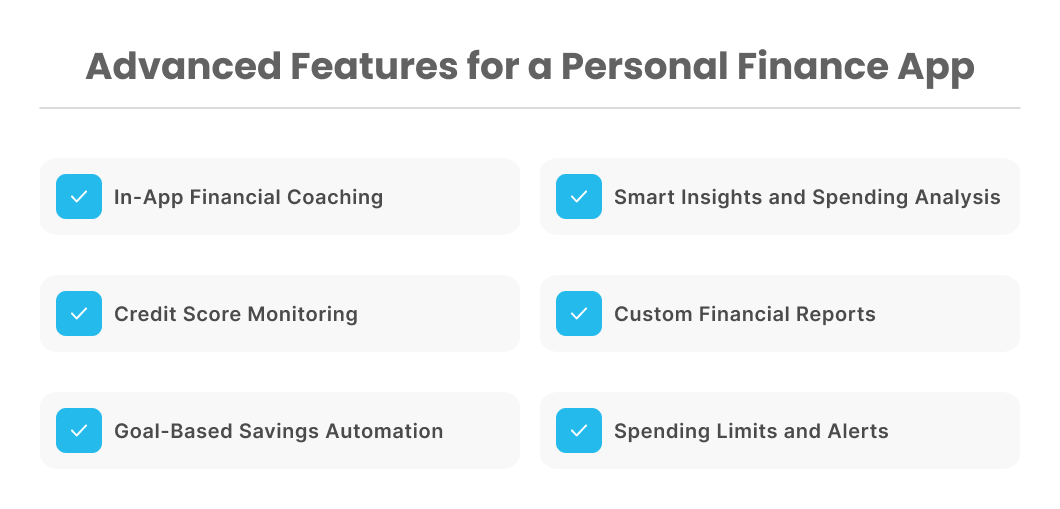
In-App Financial Coaching
Built-in financial advice or chatbots can answer common financial questions and provide users with money-saving tips, budgeting strategies, and debt management advice.
-
Smart Insights and Spending Analysis
Advanced analytics can provide insights into spending habits, suggest potential savings, and highlight unusual transactions. These insights help users understand where they can cut costs or improve their financial habits.
-
Credit Score Monitoring
By connecting to credit bureaus, the app can offer users real-time access to their credit score, along with tips on how to improve it, helping them stay financially healthy.
-
Custom Financial Reports
The app can generate tailored reports for specific time frames or categories, offering a detailed view of spending, income, and savings trends, which is useful for tax planning or financial reviews.
-
Goal-Based Savings Automation
Users can set goals (like building an emergency fund or saving for a trip), and the app automatically transfers a set amount to each goal on a regular basis, making saving easier.
-
Spending Limits and Alerts
Users can set daily, weekly, or monthly spending limits on specific categories, and the app will send alerts if they approach or exceed their budget.
These advanced features not only make personal finance apps more comprehensive but also give users powerful tools to actively manage, save, and grow their money.
FlutterFlow Personal Finance App Development Cost and Timeline
The approximate cost of developing a personal finance app using FlutterFlow for the basic app is $12K-$15K and the timeline is 2.5-3 months. However, development costs can vary based on several factors such as:
- Features: More complex features will increase development time and costs.
- Design: Custom designs may require additional resources.
- Integration: Adding third-party services or APIs can add to the overall cost.
Typically, you can expect a budget range depending on your specific requirements. It’s best to outline your needs clearly to get accurate estimates from developers or development agencies.
5 Best Personal Finance Apps
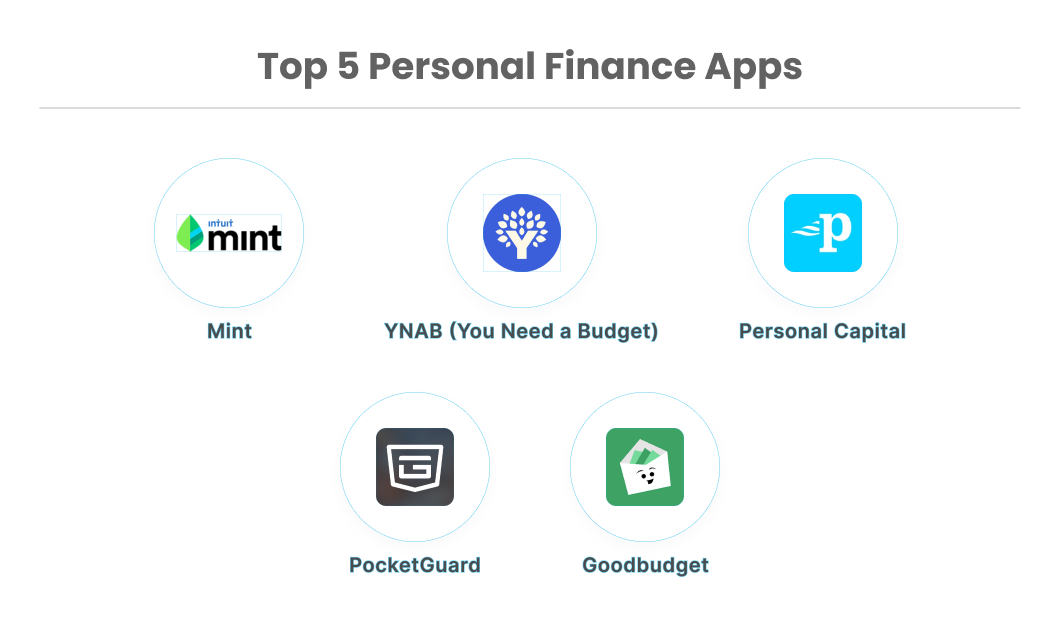
Here are five of the top personal finance apps that are widely praised for their features, ease of use, and effectiveness in helping users manage their finances:
Mint
Mint is a popular, all-in-one finance app that helps users track spending, set budgets, and manage bills. With its bank and credit card integrations, Mint automatically categorizes expenses and offers insights into spending patterns, helping users maintain control over their finances. It also provides free credit score monitoring.
YNAB (You Need a Budget)
YNAB is designed around a budgeting philosophy that encourages users to "give every dollar a job." The app’s hands-on budgeting approach helps users build strong financial habits and pay down debt. YNAB is a favorite for users who are serious about budgeting and tracking every dollar they spend.
Personal Capital
Personal Capital combines personal finance management with investment tracking, making it an excellent choice for those looking to manage both everyday spending and long-term investments. The app provides insights into retirement planning, net worth tracking, and other financial goals, ideal for users with complex financial needs.
PocketGuard
PocketGuard is a budgeting app that focuses on helping users avoid overspending by showing them how much they have "left to spend" after setting aside money for bills, savings, and goals. It also tracks subscriptions and helps users negotiate bills to save money.
Goodbudget
Goodbudget uses the envelope budgeting system, helping users allocate portions of their income to different spending categories. It’s a great tool for those who prefer a cash-based budgeting approach but want to go digital. Goodbudget is simple to use and encourages mindful spending.
Each of these apps offers unique features and approaches, from detailed budgeting tools to comprehensive investment management, helping users find the best fit for their personal finance needs.
Why Empiric Infotech LLP for FlutterFlow Personal Finance App Development
If you’re ready to build a personal finance app but need assistance or a reliable partner who can build a personal finance app for you then consider reaching out to Empiric Infotech LLP.
We are a Flutterflow expert agency partner. Hire FlutterFlow developers who have completed 100+ successful projects and over 3.13 million code edits. You can trust our team to create a user-friendly and efficient FlutterFlow personal finance app development app tailored to your needs.
Schedule a 30-minute discovery call with our expert to get a rough estimation for your personal finance app.
Conclusion
The growing demand for personal finance apps presents a significant opportunity for businesses. By developing a personal finance app using FlutterFlow, you can tap into this expanding market, empower users with essential financial tools, and create a sustainable business model. The time is ripe to capitalize on this growth and make a positive impact on users' financial well-being.