



 Front-end
 Back-end
 Full Stack Developer
 Mobile
 Other
Other


 Company
 Contact Us

In today’s digital world, financial apps have become an essential part of everyday life. They help users to manage their money, track spending, and make payments seamlessly.
Plaid is a service that allows your app to connect with users’ bank accounts and retrieve financial information securely. FlutterFlow is a visual app development platform that lets you build mobile apps without needing to write much code.
Integrating Plaid with FlutterFlow can help you create powerful financial features, such as account linking, transaction history, and more. Whether you're building an app for budgeting, payment processing, or financial insights, this guide will walk you through everything you need to know to get Plaid up and running on FlutterFlow.
In this complete guide, we’ll show you everything from setting up Plaid and FlutterFlow’s account, and how to integrate or run Plaid on FlutterFlow to testing and debugging your Integration.
What is Plaid?
Plaid is a financial technology company that provides APIs (Application Programming Interfaces) to help apps securely connect with users’ bank accounts and retrieve financial data.
Plaid acts as a bridge between your app and financial institutions, allowing you to access important financial information such as bank balances, transaction history, and account details, without handling sensitive user data directly.
It simplifies the process of linking users’ bank accounts to your app, enabling features like payment processing, expense tracking, and account verification in a secure and compliant manner.
What is FlutterFlow?
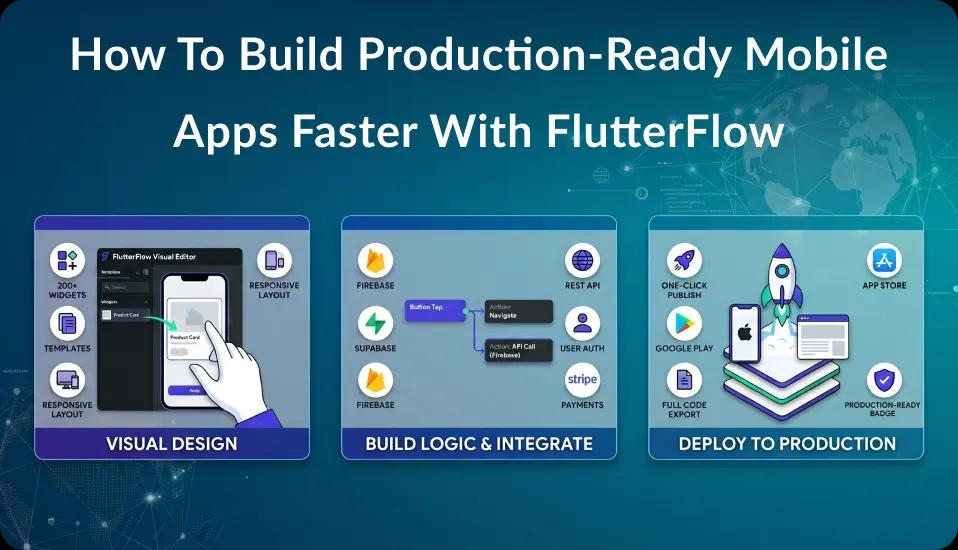
FlutterFlow is a visual app development platform that allows you to design and build apps visually. With FlutterFlow, you can create fully functional apps quickly and easily, without needing to write extensive code. The platform offers a drag-and-drop interface, customizable widgets, and seamless integrations with external APIs, allowing you to build apps for various use cases.
If you want to learn more about FlutterFlow in detail like,
- What are the Key Features of FlutterFlow?
- When to Choose FlutterFlow?
- Who Can Benefit Most from FlutterFlow?
- Flutter vs FlutterFlow - Key Differences
Check out our detailed article on What is FlutterFlow? so you can get a complete understanding of FlutterFlow.
How to Run Plaid on FlutterFlow [9 Steps Guide]
1. Understanding the Plaid Integration Workflow
How Plaid Works
Plaid connects apps to financial institutions to retrieve data like bank account details, transaction history, and balances.
When a user connects their bank account to your app using Plaid, Plaid securely fetches the information and sends it to your app through their API (Application Programming Interface).
This makes it easy for your users to link their bank accounts without handling sensitive data directly.
How Plaid and FlutterFlow Work Together
When you combine Plaid and FlutterFlow, you can build apps that offer financial services, such as budgeting tools, payment processing, and more.
With Plaid integrated into your FlutterFlow project, users can securely connect their bank accounts, and you can display account balances, recent transactions, and other financial data in your app.
2. Setting Up Your Plaid Account
Creating a Plaid Developer Account
To begin, you need to create a Plaid developer account. This account will give you access to Plaid's API and tools to integrate with your app. Here’s how to get started:
- Go to Plaid’s Developer Dashboard.
- Sign up for an account using your email address.
- Once you’ve signed up, log in and access the Plaid Developer Portal.
- Choose the Sandbox environment to start testing. This will allow you to simulate the process of linking bank accounts without using real data.
Setting Up Plaid API Keys
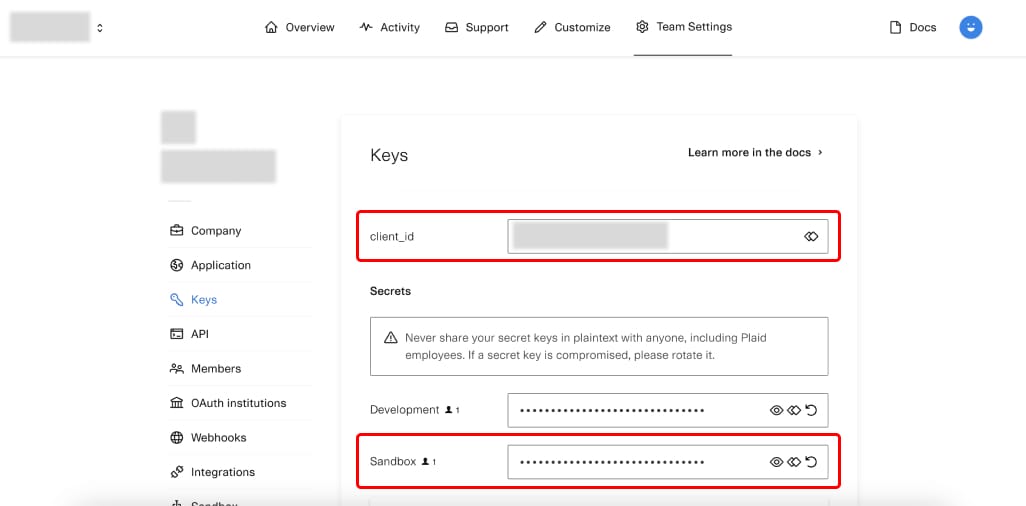
After signing up, you need to get your Plaid API keys (Client ID and Secret Key). These keys are used to authenticate your app with Plaid and ensure secure communication.
- In the Plaid Developer Dashboard, go to the API Keys section.
- Copy your Client ID and Secret Key - you’ll need them later when configuring Plaid in FlutterFlow.
3. Setting Up FlutterFlow
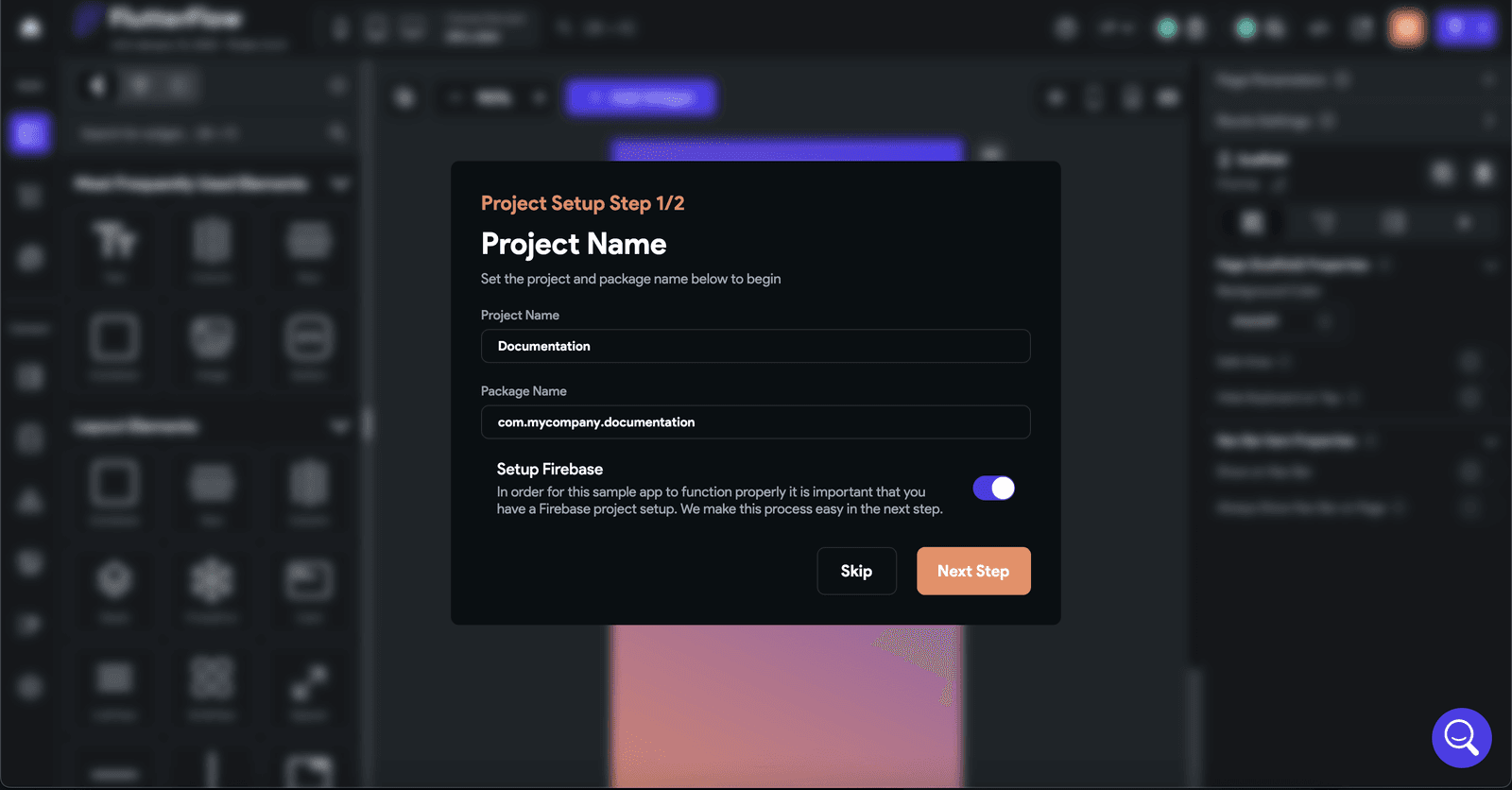
Creating Your FlutterFlow Project
- Go to FlutterFlow and sign in or create an account.
- Start a new project by selecting a template or choosing a blank project.
- Set up your app’s basic layout, navigation, and other features.
Enabling Custom API Integrations in FlutterFlow
FlutterFlow allows you to integrate custom APIs, such as Plaid, into your app. To do this, follow these steps:
- In your FlutterFlow project, navigate to Settings and then select API Calls.
- Click on Add API Call and enter the required details, such as the API URL, method (GET or POST), and any necessary parameters.
- You’ll use the API keys you obtained from Plaid when setting up this integration.
4. Integrating Plaid API with FlutterFlow
Configuring the Plaid API in FlutterFlow
- Go to the API Calls section of your FlutterFlow project.
- Set the API URL to the Plaid endpoint that you want to use (e.g., the Link endpoint).
- Add your Plaid Client ID and Secret Key in the appropriate fields.
- Configure any headers and parameters that Plaid requires for authentication and data retrieval.
Creating API Requests
Next, you’ll set up the API requests to connect Plaid to your app. The most common requests include:
- Linking a user’s bank account: Use Plaid’s link endpoint to create a link token that allows users to securely connect their accounts.
- Fetching account data: After the user links their account, you can use the accounts endpoint to retrieve information like account balances.
Handling Plaid Link
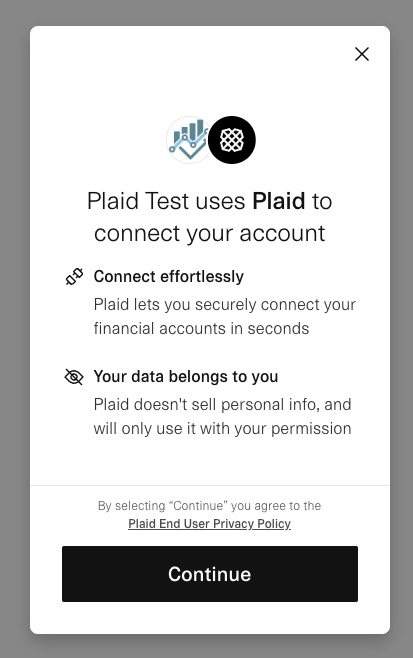
Plaid Link is the UI interface that allows users to securely connect their bank accounts. To integrate Plaid Link with your FlutterFlow app: -In FlutterFlow, create a screen or button that will trigger Plaid Link.
- When the user clicks the button, use the API call you set up earlier to trigger the Plaid Link process.
- After the user connects their bank account, Plaid will return a link token that you can use to display account information.
5. Designing the User Interface in FlutterFlow
Building the Plaid Link UI
In FlutterFlow, you can design the interface that users will interact with when connecting their bank accounts. Here’s how:
- Create a button on your screen labeled something like “Connect Bank Account”.
- When the user clicks this button, it will trigger the Plaid Link process you set up earlier.
- You can design a loading screen to show while Plaid Link is processing.
Displaying Bank Account Information
Once a user successfully links their bank account through Plaid, you can display their account data in your app. Use FlutterFlow’s UI components to show:
- Account name
- Account balance
- Recent transactions To do this, you’ll use the data retrieved from the Plaid API and display it on the appropriate screen in your app.
6. Testing and Debugging Your Integration
Testing Plaid Integration in Sandbox Mode
Plaid’s Sandbox mode allows you to test the integration without using real financial data. You can simulate linking different bank accounts and retrieving account information, which helps you test if everything is working smoothly.
- In Plaid’s developer dashboard, choose a sandbox environment and get test bank account credentials.
- Test linking and retrieving data using the sandbox accounts.
Debugging Common Issues
If you run into problems while integrating Plaid with FlutterFlow, here are some common issues and solutions:
- Error: Invalid API Keys: Double-check that your API keys are correct and that you’ve set them properly in FlutterFlow.
- Error: Plaid Link isn’t triggering: Ensure that the button triggering Plaid Link is set up correctly and that your API calls are working as expected.
- Error: No data returned from Plaid: Check that the user has successfully linked a bank account and that your API request is correctly set up to retrieve account details.
7. Deploying Your Plaid-Powered FlutterFlow App
Preparing Your App for Production
Once you’ve finished integrating Plaid into your FlutterFlow app and tested it in the sandbox, you’ll need to switch from the sandbox environment to Plaid’s live environment for real data.
- Update your Plaid API keys to use the live version.
- Make sure your app is fully tested and ready for production. Going live against real bank data is usually the point where the custom Dart, API calls, and error handling outgrow what the visual canvas can express, and that handover is exactly what our FlutterFlow developers do day to day.
Publishing Your App
After the integration is complete and tested, you can deploy your app. If you’re targeting mobile devices:
- Export the code from FlutterFlow.
- Build your app for Android or iOS.
- Submit your app to the Google Play Store or Apple App Store.
8. Best Practices for Secure Plaid Integration
Data Security Considerations
Security is critical when handling financial data. To ensure that your app is secure:
- Never store sensitive data: Plaid handles sensitive financial data, so avoid storing it on your servers.
- Use secure connections: Always use HTTPS to encrypt API calls between your app and Plaid.
Compliance with Financial Regulations
When handling financial data, you must follow regulations such as GDPR and PCI-DSS. Make sure your app complies with these rules to protect users' privacy and data security.
9. Advanced Features and Customization
Adding Extra Features with Plaid
Plaid offers a range of advanced features you can integrate, such as:
- Transaction categorization: Automatically categorize transactions (e.g., groceries, utilities) to help users manage their finances.
- Investment data: Use Plaid’s Investment API to show users information about their investment accounts.
Customizing the User Experience
You can customize the Plaid Link flow to match your app’s branding by modifying colors, logos, and other visual elements.
Need Help with FlutterFlow App Development?
We are an official FlutterFlow Expert Agency Partner and a leading FlutterFlow app development company in the USA. Our expert FlutterFlow developers are ready to help you with your development requirements. If you want to test your business idea by developing MVP or scaling your app, we have the experience and expertise you need.
Conclusion
Integrating Plaid with FlutterFlow allows you to add powerful financial features to your app without writing complex code. By following this guide, you can securely link user bank accounts, display account data, and offer enhanced financial tools in your app. With testing, debugging, and best practices in mind, you can create a seamless and secure experience for your users.
Now that you know how to integrate Plaid into your FlutterFlow app, start building and exploring the endless possibilities for your financial app!
Need the Plaid integration owned, not just started
Empiric Infotech is an official FlutterFlow Expert Agency Partner, and our developers write the custom Dart, the API calls, and the Firebase or Supabase glue that the visual canvas cannot reach, then take the app through both store submissions. You can hire FlutterFlow developers at $2,000 USD per month for 160 to 172 hours of full-time, exclusive work, billed monthly upfront. There is a 7-day risk-free trial and no long-term contract.