



 Front-end
 Back-end
 Full Stack Developer
 Mobile
 Other
Other


 Company
 Contact Us

Quick answer: is FlutterFlow suitable for production apps? Yes, for a specific class of product. FlutterFlow generates real Flutter code that you own and can export, so it is not a walled garden like most visual builders. It fits products that are primarily forms, lists, media and API calls, and it stops fitting when your app needs heavy custom rendering, deep native integration or complex offline state. The decision is not "visual builder versus real code", because FlutterFlow is both. It is whether your app's hard parts are the parts FlutterFlow accelerates.
FlutterFlow gets discussed as a no-code tool, which undersells it and attracts the wrong comparison. The useful framing for an engineering team is that it is a Flutter code generator with a visual editor on top, and an escape hatch into custom Dart wherever you need one.
This article covers what it genuinely accelerates, where teams hit its limits, and how to decide before you commit a roadmap to it.
What FlutterFlow actually produces
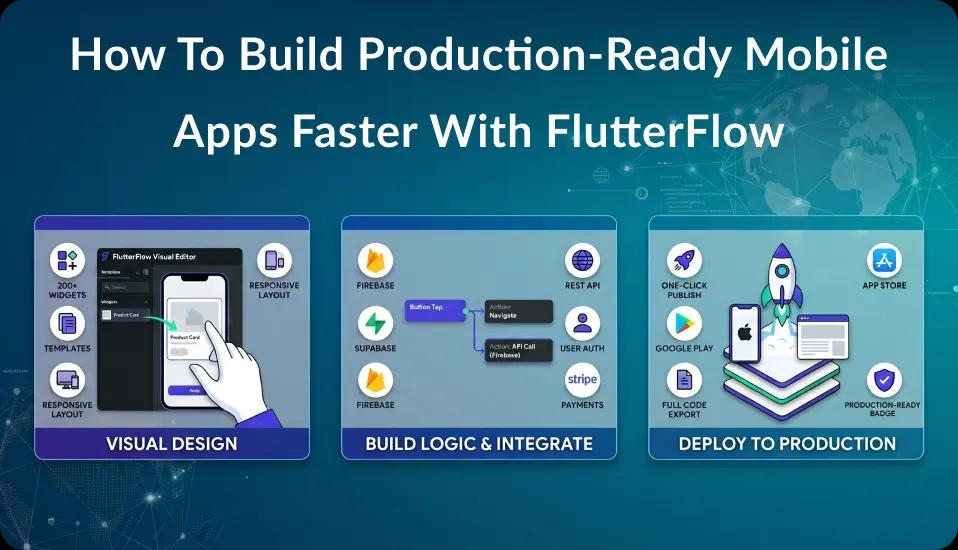
FlutterFlow builds Flutter applications. You compose screens visually, wire state and navigation, connect Firebase or Supabase or your own REST and GraphQL APIs, and it emits Dart. You can export that code and take it to a normal Flutter team at any point.
That export path is the property that separates it from tools where leaving means rewriting. It also means the usual objection to visual builders, that you get trapped, is a question of code quality rather than of lock-in.
What it removes is the repetitive half of app work: screen scaffolding, navigation wiring, form binding, list rendering, theme plumbing, and the same authentication flow you have built many times. What it does not remove is architecture, domain logic and the hard integrations.
Where it fits well
API and data-driven products. Apps whose job is to authenticate a user, fetch data, render it in lists and detail views, and post changes back. This is a very large share of real products and it is exactly what the tool is optimised for.
Content and media apps. Audio, video and course-style content with structured navigation, where the difficulty is in the content model rather than the rendering.
Internal tools and companion apps. Where speed of change matters more than a bespoke interface, and where the audience tolerates a conventional look.
Cross-platform from one codebase. iOS and Android from the same source, with the web build available when it suits you. This is Flutter's benefit rather than FlutterFlow's, but you get it either way.
Teams without a standing mobile team. If your engineers are strong on backend and web but you have no iOS or Android specialists, this closes the gap faster than hiring for both platforms.
Where it stops fitting
Being straight about the limits is more useful than a list of benefits.
Heavy custom rendering. Games, complex canvas work, custom animation systems and anything where you are fighting the widget tree. You can drop into custom Dart, but at that point the visual layer stops paying for itself.
Deep native integration. Background location, complex Bluetooth, custom camera pipelines, platform-specific SDKs without a maintained plugin. Possible through custom code, but you are writing Flutter and platform code anyway.
Complex offline and sync. Apps that must work fully offline with conflict resolution are an architecture problem, and architecture is what the visual layer helps with least.
Very large teams in one project. Collaboration and code review work differently than in a normal Git workflow. Manageable, but plan for it rather than discovering it.
Highly bespoke design systems. Achievable, but the further you get from conventional components the more the visual editor becomes overhead rather than leverage.
The realistic decision framework
Ask three questions about your product.
1. What is the hard part? If the hard part is screens, forms and API calls, FlutterFlow removes real work. If the hard part is a sync engine, a rendering pipeline or a native integration, it removes very little and you should evaluate plain Flutter.
2. What happens at version three? Not the first release, the third. If the roadmap heads toward heavy customisation, plan the exit to exported code from the start and structure the project so that is a clean step.
3. Who maintains it? If the answer is Flutter engineers, the export path is straightforward. If the answer is a non-engineering team making content changes, the visual layer is a durable advantage rather than a temporary one.
Cost and timeline, honestly
Two things are true at once, and most articles pick one.
Building conventional screens is genuinely faster, because you are not writing scaffolding. On projects that are mostly conventional screens, that compounds across the build.
The parts that are hard in Flutter are just as hard in FlutterFlow. Integrations, edge cases, store review, performance work on real devices and QA across the fleet do not shrink. If most of your effort sits there, expect the total to look similar to a conventional build.
We are deliberately not publishing a percentage here. The honest answer depends on the ratio of conventional screens to hard integrations in your specific product, and any single number would be marketing rather than information. What we can say from delivered work is that the acceleration is real on the first category and roughly nil on the second, so the ratio is what you should estimate.
A production example
Ab.Money, a meditation and mindset app, was initially built on a different visual tool and hit scalability limits as its audience grew. The team rebuilt it in FlutterFlow across roughly two months, with the majority of functionality using native FlutterFlow capability and custom actions and widgets covering the rest, including a custom audio player, video courses, and bilingual content in English and Russian.
That shape is typical of a good fit: a content-heavy product where the difficulty is the content model and the media handling, not custom rendering. We wrote it up in more detail in our Ab.Money case study.
If you are deciding
Prototype the hardest screen first, not the easiest. Most evaluations build a login and a list, conclude the tool is excellent, and discover the real constraints months later. Build the screen you are most worried about and see what it takes.
Then confirm the export path works for your team before committing. Export the code, open it, and have a Flutter engineer review it. If they are comfortable maintaining it, your downside is covered.
Empiric builds production apps in both FlutterFlow and plain Flutter, and we will tell you which one your product needs rather than defaulting to whichever is faster for us. See hire FlutterFlow developers for how the engagement works, or get in touch to talk through a specific product.