



 Front-end
 Back-end
 Full Stack Developer
 Mobile
 Other
Other


 Company
 Contact Us
The short answer
- An AI agent is software that perceives, decides and acts toward a goal, instead of only answering a question.
- In mobile apps, agents show up as assistants, recommendations and automation: chat support, personalised feeds, smart reminders and actions taken on the user's behalf.
- There are seven common types, from simple reflex agents to autonomous agents, and most apps combine two or three.
- Phone platforms now build agents in. Apple Intelligence and Google's Gemini bring assistant features into the operating system, so apps increasingly expose actions that these assistants can trigger.
- A production agent needs more than a model: tool access to your real APIs, permissions, and a fallback for every call that fails.
What is an AI Agent?
An AI Agent is a software program powered by Artificial Intelligence (AI) that can perceive, process, and take actions to achieve specific goals. It learns from data and user interactions to make smarter decisions over time. Think of it as a virtual assistant or a robotic brain that operates autonomously, helping users to complete tasks more efficiently and intelligently.
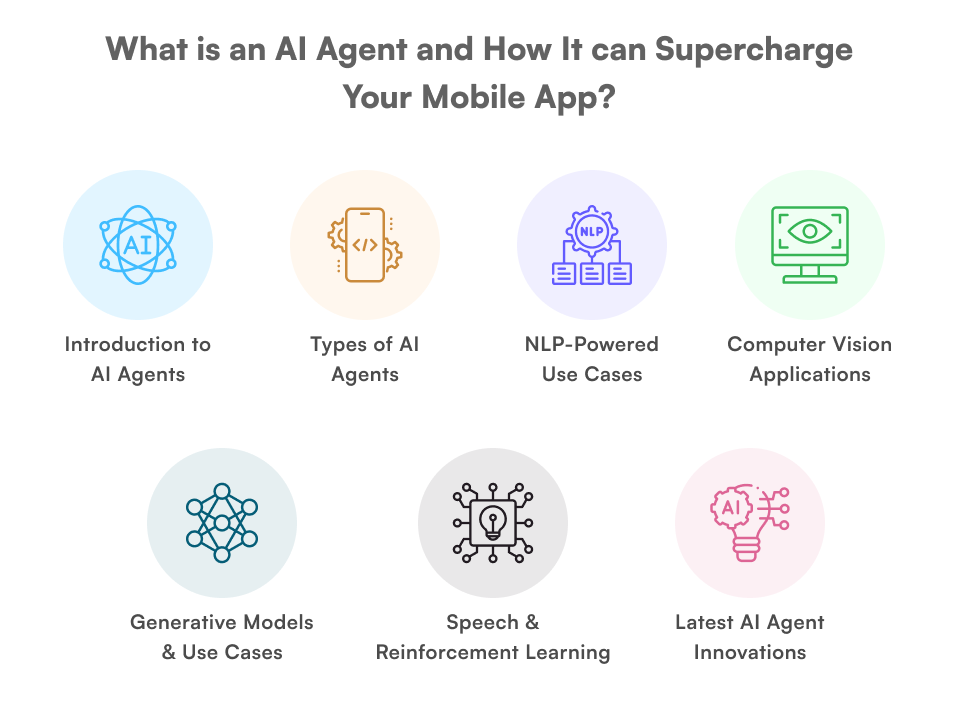
AI Agents can be rule-based (following predefined instructions) or adaptive (learning from experience and improving over time). These agents use technologies such as machine learning, natural language processing (NLP), and computer vision to understand and respond to user needs dynamically. The distance between a demo agent and one that runs in production is tool use against your real APIs plus a fallback for every call that fails, which is the bulk of what AI agent development actually involves.
Types of AI Agents and How They Support Mobile Apps
AI Agents can be categorized into different types based on their functionality and how they interact with users. Here’s a breakdown of the types of AI Agents and how they can support mobile apps, along with examples:
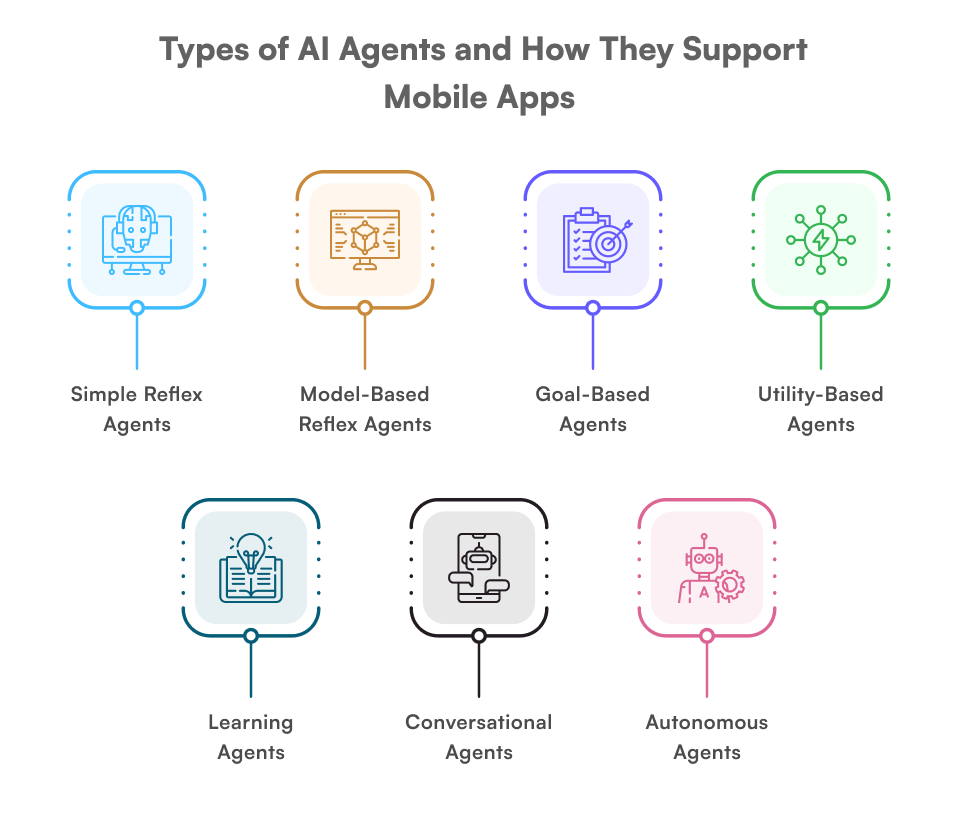
1. Simple Reflex Agents
- What they do: React to specific inputs with pre-defined actions.
- How they support mobile apps: Handle basic, rule-based tasks.
- Example:
- A weather app that shows an umbrella icon when rain is forecasted.
- A fitness app that reminds you to drink water after a workout.
2. Model-Based Reflex Agents
- What they do: Use internal models to make decisions based on the current state and past data.
- How they support mobile apps: Provide more context-aware responses.
- Example:
- A navigation app (like Google Maps) that suggests alternate routes based on traffic conditions.
- A shopping app that recommends products based on your browsing history.
3. Goal-Based Agents
- What they do: Take actions to achieve specific goals.
- How they support mobile apps: Help users accomplish tasks efficiently.
- Example:
- A travel app (like Airbnb) that suggests hotels based on your budget and preferences.
- A fitness app that creates a workout plan to help you reach your fitness goals.
4. Utility-Based Agents
- What they do: Make decisions to maximize user satisfaction or efficiency.
- How they support mobile apps: Optimize user experience by prioritizing the best outcomes.
- Example:
- A food delivery app (like Uber Eats) that suggests restaurants with the fastest delivery times.
- A finance app that recommends investment options with the highest returns.
5. Learning Agents
- What they do: Learn from user interactions and improve over time.
- How they support mobile apps: Personalize experiences and adapt to user behavior.
- Example:
- A music app (like Spotify) that creates personalized playlists based on your listening habits.
- A news app that curates articles based on your interests.
6. Conversational Agents
- What they do: Interact with users through natural language (text or voice).
- How they support mobile apps: Provide real-time assistance and engagement.
- Example:
- Chatbots in banking apps (like Bank of America’s Erica) that answer customer queries.
- Voice assistants (like Siri or Google Assistant) that help users set reminders or search for information.
7. Autonomous Agents
- What they do: Operate independently to perform complex tasks.
- How they support mobile apps: Automate processes without user input.
- Example:
- A smart home app that adjusts lighting and temperature based on your preferences.
- A travel app that rebooks a cancelled flight and updates the hotel booking without the user asking.
Examples of AI models and the types of apps
-
Natural Language Processing (NLP) Models
-
Chatbots in Mobile Apps
NLP helps mobile apps provide instant, human-like customer support or engagement through chatbots.
- How It Works
- Understands user messages and responds appropriately.
- Learns from user interactions to improve over time.
- Examples
- Duolingo Max: AI roleplay conversations for language practice inside the Duolingo app.
- Customer Support Chatbots: Apps for banks, shopping, or food delivery use chatbots to answer
-
Language Translation in Mobile Apps
NLP enables apps to translate text or speech between languages instantly.
- How It Works
- Converts text or voice input into another language.
- Maintains the meaning and context of the original message.
- Examples
- Google Translate App: Translates text, voice, or even images in real-time.
- Travel Apps: Help users communicate in foreign languages.
-
Voice Assistants in Mobile Apps
NLP allows apps to understand and respond to voice commands.
- How It Works
- Converts spoken words into text.
- Understands the command and performs tasks like searching, setting reminders, or playing music.-
- Examples
- Siri (iOS): Voice assistant for iPhones.
- Google Assistant (Android): Helps users with tasks using voice commands.
- Other Ways NLP Supports Mobile Apps
-
Sentiment Analysis: Analyzes user reviews or feedback to improve app features.
-
Text Summarization: Condenses long articles or documents into short summaries.
-
Spell Check and Grammar Correction: Tools like Grammarly help users write better in apps.
-
Personalized Recommendations: Suggests products, movies, or content based on user preferences.
-
- Key Benefits of NLP in Mobile Apps:
- Improves user experience with faster, smarter interactions.
- Makes apps more accessible (e.g., voice commands, translations).
- Reduces the need for human support through automation.
-
-
Computer Vision Models
-
Facial Recognition in Mobile Apps
Computer vision helps apps recognize or modify faces for various purposes.
- How It Works
- Detects and analyzes facial features in images or videos.
- Can enhance, modify, or identify faces.
- Examples
- FaceApp: Lets users edit or transform their facial features (e.g., aging, adding filters).
- Security Apps: Unlock phones or verify identities using facial recognition (e.g., Apple’s Face ID)
-
Image Recognition in Mobile Apps
Computer vision enables apps to identify objects, scenes, or patterns in images.
- How It Works
- Scans images to detect objects, colors, or textures.
- Provides relevant information or suggestions based on the image.
- Examples
- Pinterest Lens: Identifies objects in photos and suggests similar items or ideas.
- Shopping Apps: Lets users search for products by uploading images.
-
Augmented Reality (AR) in Mobile Apps
Computer vision powers AR features by blending digital content with the real world.
- How It Works
- Detects surfaces, objects, or faces in real-time using the camera.
- Overlays digital elements (e.g., filters, animations) onto the real-world view.
- Examples
-
Snapchat Filters: Adds fun effects like masks, glasses, or animations to faces.
-
IKEA Place: Lets users visualize how furniture would look in their homes using AR.
-
- Other Uses of Computer Vision in Mobile Apps:
-
Barcode/QR Code Scanning: Reads codes for payments, tickets, or information.
-
Document Scanning: Converts photos of documents into editable text (e.g., CamScanner).
-
Fitness Apps: Tracks exercises or analyzes posture using the camera.
-
- Key Benefits of Computer Vision in Mobile Apps:
- Enhances user interaction with visual features.
- Adds fun and creative elements (e.g., filters, AR).
- Improves functionality (e.g., security, shopping, fitness).
-
-
Generative Models
- Content Creation: Canva uses generative models to help users create designs by suggesting layouts and elements.
- Text Generation: Apps like Jasper or Writesonic use generative models to create written content based on user prompts.
-
Speech Recognition Models
- Transcription Services: Otter.ai uses speech recognition to transcribe meetings and conversations in real-time.
- Voice-to-Text: Google Docs' voice typing feature uses speech recognition to convert spoken words into text.
-
Reinforcement Learning Models
- Gaming: AI in games like AlphaGo or chess apps use reinforcement learning to improve gameplay and challenge users.
- Robotics: Apps that control or simulate robots often use reinforcement learning for tasks like navigation and object manipulation.
-
Time Series Analysis Models
- Weather Forecasting: Apps like AccuWeather use time series models to predict future weather conditions.
- Stock Market: Trading apps like Robinhood use time series models to analyze stock trends and provide insights.
What AI agents in mobile apps look like in 2026
Agents are no longer only inside individual apps. Apple Intelligence on iPhone and Gemini on Android bring assistant features into the operating system itself, and apps increasingly expose their actions so these assistants can trigger them by voice or text. Inside apps, these are the patterns product teams are building now:
- Generative AI Agents:
- AI agents create content such as text, images or code inside the app.
- Example: An app that writes personalized emails or designs logos.
- Emotion-Sensing AI:
- AI agents read sentiment from text or voice to adjust tone and next steps.
- Example: A mental health app that adjusts its responses based on your mood.
- Hyper-Personalization:
- AI agents tailor content, offers and layouts to each user.
- Example: A shopping app that suggests outfits based on your style and weather.
- Autonomous Decision-Making:
- AI agents complete multi-step tasks, with the user approving key steps.
- Example: A travel app that books flights and hotels based on your preferences.
- Multimodal AI:
- AI agents understand and combine text, voice and images.
- Example: An app that lets you search by speaking, typing, or uploading a photo.
Looking to build AI-powered mobile apps?
At Empiric Infotech LLP, we specialize in integrating intelligent AI agents into scalable FlutterFlow apps. From chatbots to personalized recommendation engines, we help you stay ahead in the AI-driven app revolution.
Contact Us to schedule a free consultation and explore our AI app development services.
Conclusion
AI Agents are no longer just futuristic concepts - they're already transforming how users interact with mobile apps today. From personalized playlists to real-time customer support, AI agents make apps smarter, faster, and more intuitive. As technologies like generative AI, NLP, and computer vision continue to evolve, we can expect even more dynamic and human-like experiences within our everyday apps.
Whether you're building a healthcare app, an ecommerce platform, or a virtual assistant, integrating AI agents can drastically improve user satisfaction, engagement, and automation.
Putting an agent inside your app
An agent that only answers is a chatbot. An agent that books, updates, and calls your systems needs planning, tool definitions, permissions, and a fallback for every call that fails. Empiric Infotech builds those as a remote AI agent development engagement with a dedicated developer at $25 per hour if you want to pay as you go, or $2,000 USD per month for 160 to 172 hours if you would rather lock it in, with a senior lead reviewing every release and a weekly time report and demo.