



 Front-end
 Back-end
 Full Stack Developer
 Mobile
 Other
Other


 Company
 Contact Us
Are you tired of waiting on developers to implement even minor changes to your website or software?
Do you wish you could respond to market trends without a huge time investment?
The modern customer expects personalized experiences tailored to their needs. But generic, off-the-shelf software simply doesn't cut it. Businesses crave digital solutions that perfectly mirror their unique workflows and processes.
This need for speed and adaptability has spurred the rise of a transformative solution: no-code development platforms!
These platforms allow you to build and modify your digital tools with speed and flexibility, without the need for in-depth coding knowledge.
Many businesses are already using these platforms to gain a competitive edge. Gartner estimates that by 2025, 70% of new applications developed by enterprises will use no-code or low-code technologies.
Therefore, we are going to discuss these no-code platforms in this blog so you can make an informed decision for your business.
What is a No-Code Development Platform?
No-code development platforms have transformed the way we build software. They empower people without coding backgrounds to create applications using visual interfaces and drag-and-drop tools. Instead of writing lines of code, users assemble pre-built components like buttons, menus, and logic blocks to define how the application looks and functions.
These platforms integrate with databases to store data and often offer plugins to extend capabilities with features like payment processing.
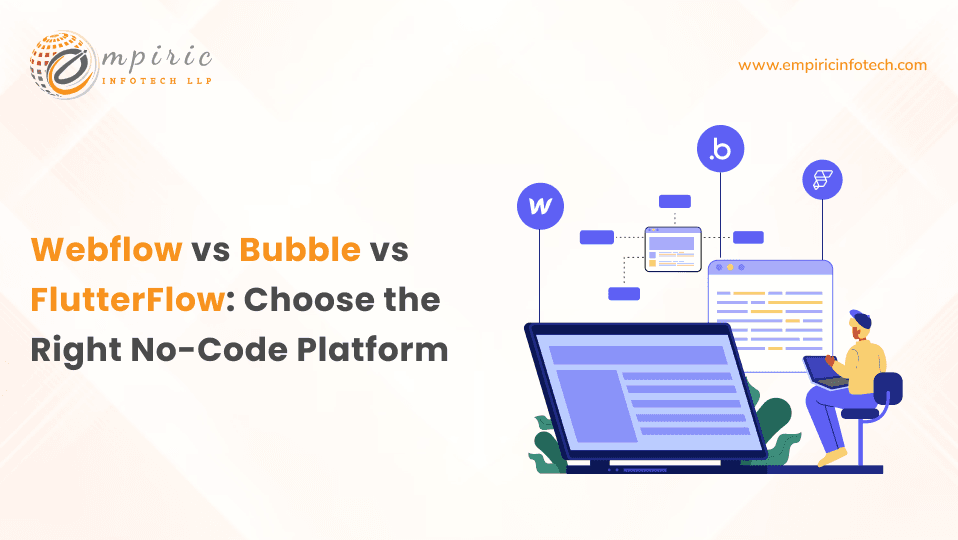
Different no-code platforms specialize in various areas, such as website design (Webflow), complex web applications (Bubble), or mobile app development (FlutterFlow).
Let’s look at these no-code platforms in detail.
What is Webflow?
Webflow is a no-code platform that empowers you to design and build professional-quality websites without writing traditional code. It provides a visual interface where you can drag-and-drop elements, meticulously control their styling, and bring your designs to life with interactions and animations.
Webflow development is particularly powerful for designers as it allows them to translate their vision directly into a working website. It also includes features for managing dynamic content (CMS) and even building online stores.
While technically no-code, a basic understanding of web design principles (like CSS and responsiveness) will significantly enhance your experience using Webflow.

Pros of Webflow
Pixel-Perfect Design Control
Webflow empowers designers to translate their vision into reality without code-based constraints. Its visual interface offers meticulous control over every aspect of your website's layout. You will be able to adjust margins, padding, fine-tune typography, and create sophisticated animations directly within the design canvas.
Excellent for Marketing/Content Sites
Webflow excels at creating visually striking websites that engage visitors. It is ideal for company websites, portfolios, landing pages, or any project where strong visuals and seamless user interactions are key to achieving your marketing goals.
CMS Functionality
Webflow's Content Management System streamlines the process of managing dynamic content. Easily create blog posts, product catalogs, event listings, or any other structured content collection. The intuitive interface allows for content updates without needing to dive into the website's design structure.
Ecommerce Capabilities
You can build fully functional online stores directly within your Webflow site. Webflow development allows you to manage product listings, set up payment gateways (Stripe, PayPal, etc.), handle shipping calculations, and create a smooth customer checkout experience.
While Webflow's ecommerce might not be suitable for extremely large-scale stores, it offers a powerful solution for many small to medium-sized businesses.

Cons of Webflow
Steeper Learning Curve (initially)
While Webflow doesn't require traditional coding, achieving its full design potential means understanding core web design concepts. Familiarity with CSS properties, layout systems like Flexbox and Grid, and responsiveness will significantly accelerate your mastery of the platform. An experienced Webflow developer can expertly handle all the complexities that arise during the development process.
Limitations for Complex Logic
Webflow is primarily geared towards visually driven websites. While you can implement custom logic in Webflow, it might become cumbersome for web applications with extensive database interactions or complex workflows. Platforms like Bubble are designed specifically to excel in these areas, offering a more streamlined experience.
Can Become Less Cost-Effective for Large-Scale Apps
As your website grows in complexity, traffic, and data storage requirements, Webflow's pricing can become a less cost-effective solution. In these cases, self-hosting a website built with traditional coding methods and open-source solutions might offer better long-term cost control. It's crucial to factor potential scaling into your long-term cost analysis when choosing a platform.
Webflow Pricing
Webflow has a dynamic pricing model for every requirement. You can choose the one that best suits your needs.
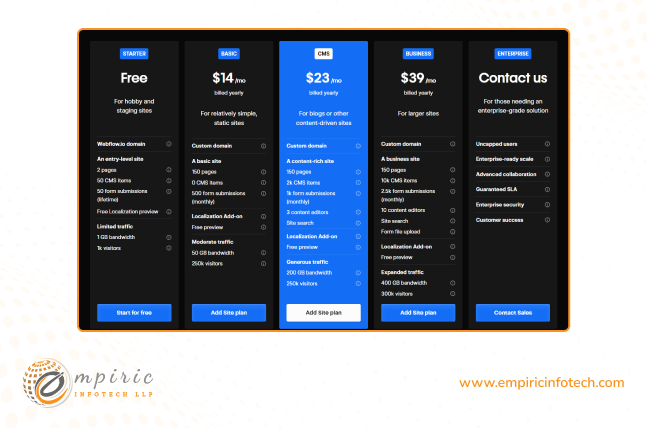
Source: https://webflow.com/pricing
What is Bubble io?
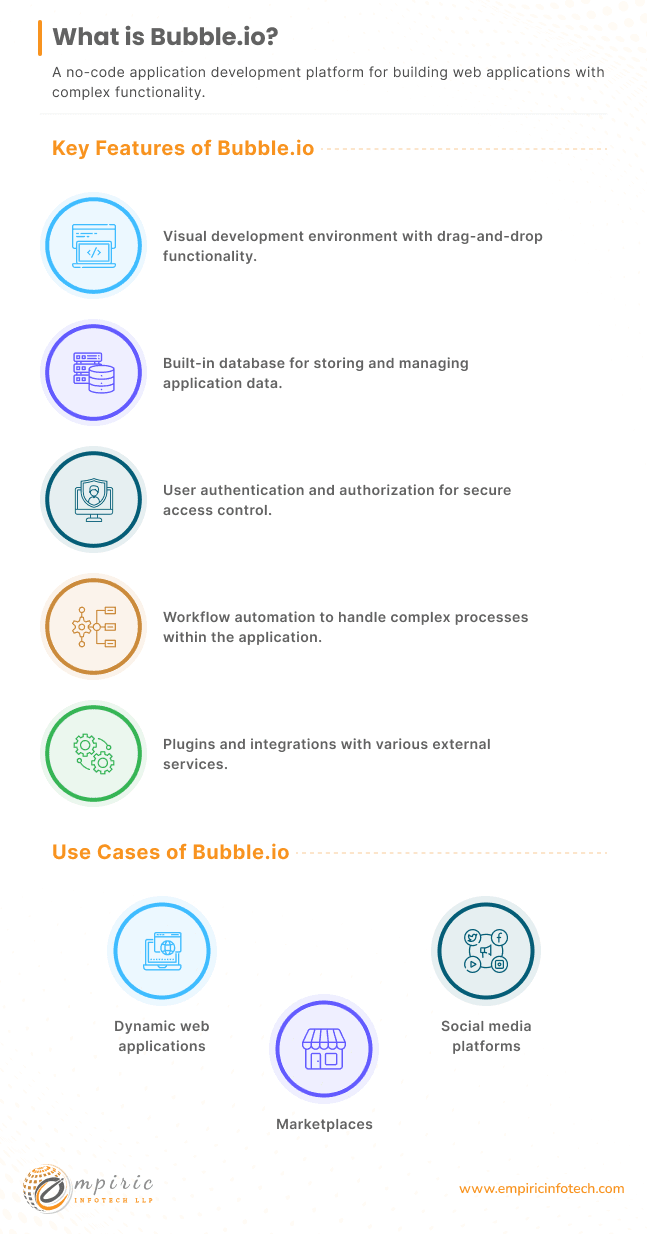
Bubble is a powerful no-code platform designed for building web applications. Instead of writing traditional code, Bubble website builder provides a visual interface where you can design the look of your website.
The Bubble mobile app builder also lets you build an app and its underlying logic using a workflow-based system. It integrates with databases, allowing you to store and manage data essential for your application's functionality.
While mastering Bubble.io development requires some learning, it offers a high level of customization. Bubble excels at building complex web apps with intricate logic. This makes it valuable for solving unique business problems, creating internal tools, or rapidly prototyping new ideas.
Pros of Bubble.io
Powerful for Building Web Apps
Bubble is designed with web applications in mind. If you need to build tools with intricate logic, process complex data, or manage sophisticated user interactions, Bubble gives you the tools to do so. This makes it ideal for everything from inventory management systems and CRMs to client-facing portals or even social media-like platforms.
Flexibility and Customization
With Bubble, you have granular control over how your app functions and looks. You can define complex workflows that trigger based on user actions or external events.
You can also connect to other services through APIs to extend your application's functionality (think payment gateways, analytics platforms, etc.). The visual interface might be less intuitive for pure designers initially, but it offers vast potential for those willing to learn its structure.
Scalability
Bubble applications can grow with your business. Its infrastructure is designed to handle increases in traffic, data storage, and user accounts. This lets you start with an MVP (Minimum Viable Product) and confidently expand the application's capabilities over time.
Active Community
Bubble has a large and supportive community of users and developers. This provides access to numerous resources, tutorials, plugins, and a helpful forum where you can find answers to common questions or seek guidance on complex development challenges.
Want to learn how Bubble.io can transform your app idea into a functional web experience? Read this article for more details: Bubble.io for No-code Web App Development.
Cons of Bubble.io
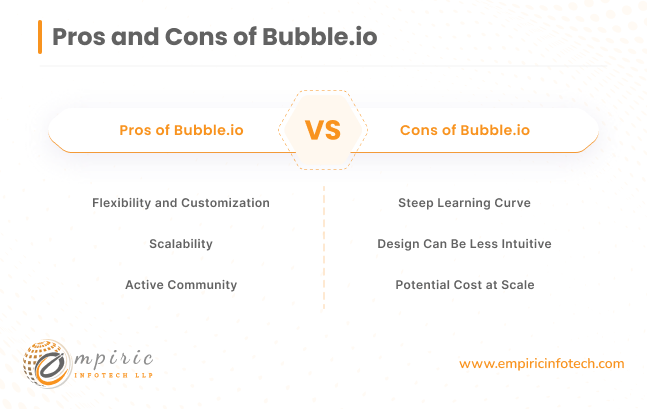
Steep Learning Curve
Bubble has a steeper learning curve compared to some other no-code platforms. Understanding how to build workflows (the step-by-step logic of your app), structure your database effectively, and navigate its visual interface takes dedicated time and effort. That’s why it is advisable to hire Bubble.io developer who is an expert in it.
Design Can Be Less Intuitive
While Bubble allows control over the app's appearance, its design system is less familiar to traditional web designers initially. Achieving pixel-perfect layouts can sometimes require workarounds or custom CSS. Those coming from a design background might find Webflow a more comfortable starting point.
Potential Cost at Scale
As the complexity of your Bubble app, its user base, and data storage needs increase, you'll likely need to upgrade to higher-priced plans. It's important to factor this when comparing platforms for a large-scale project, as the cost-effectiveness compared to traditional development might diminish at a certain point.
Bubble.io Pricing
Bubble also has different pricing plans based on the size of your project. They have clearly mentioned the plan that is best suited for which kind of product. This should make your job of choosing the suitable plan easier.
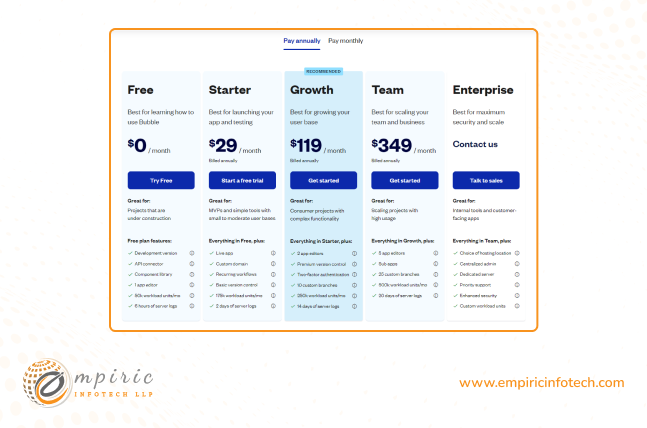
source: https://bubble.io/pricing
What is FlutterFlow?
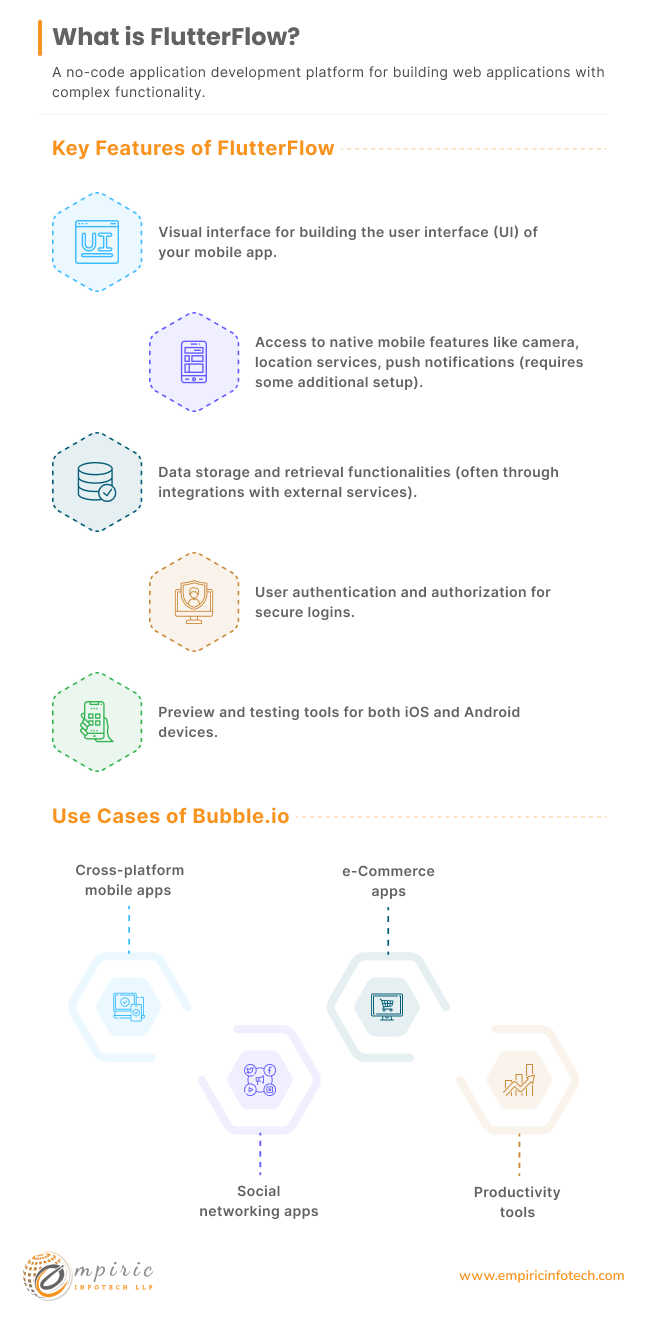
FlutterFlow is a no-code platform specifically designed for building cross-platform mobile apps. It provides a visual interface where you can drag-and-drop elements to create your app's interface, define its underlying logic, and connect it to databases.
Because FlutterFlow is built upon Google's Flutter framework, your apps will have fast performance, a native feel, and can access the device's features.
FlutterFlow is a fantastic tool for developers who want a more visual way to build mobile apps. It's also ideal for businesses needing a single app for both iOS and Android or designers wanting to turn their ideas into functional mobile experiences.
While it makes app development more accessible, understanding some mobile app concepts will be beneficial for mastering FlutterFlow.
Pros of FlutterFlow
Build Native Cross-Platform Apps
FlutterFlow eliminates one of the biggest headaches in mobile development – building separate versions for iOS and Android. With FlutterFlow, you design and build your app once, and it can be deployed on both major mobile platforms. This translates to massive savings in development time and resources.
Leverages the Flutter Framework
By being built on top of Google's Flutter framework, FlutterFlow apps inherit its advantages. This includes smooth, high-performance user interfaces, the ability to tap into native device features (like the camera, GPS, etc.), and fast rendering times that contribute to a polished user experience.
Visually Driven Development
While some coding knowledge is beneficial, FlutterFlow moves towards a more visual approach to building mobile apps. Its drag-and-drop interface, pre-built widgets, and visual logic builder simplify the development process compared to writing Flutter code directly.
Growing Community and Resources
Although FlutterFlow is a newer player in the no-code space, its community is rapidly expanding. This means you'll find increasing resources, tutorials, pre-made templates, and a support forum of like-minded users to help you along your development journey.
Want to learn how Bubble.io can transform your app idea into a functional web experience? Read this article for more details: Bubble.io for No-code Web App Development.
Cons of FlutterFlow
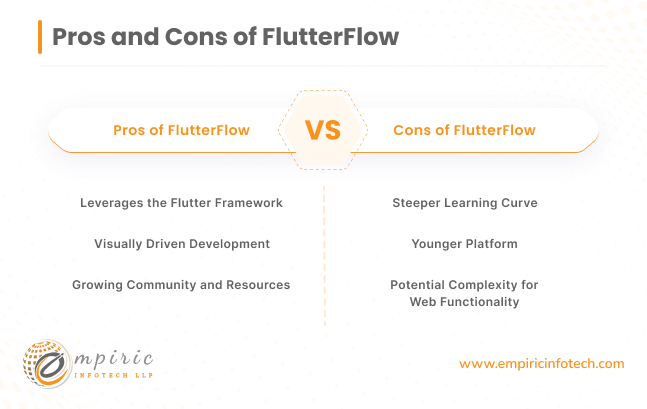
Steeper Learning Curve
Even with its visual approach, fully grasping FlutterFlow might require more upfront learning compared to other no-code tools, depending on your background.
Understanding mobile app development paradigms, Flutter's widget-based structure, and state management can take some dedicated learning time. Therefore, you must hire a FlutterFlow developer for your project from FlutterFlow expert agency partner.
Younger Platform
FlutterFlow is a newer entrant in the no-code market. While it's actively developed, you might encounter fewer ready-to-use plugins, pre-built templates, or community-made solutions compared to longer-established platforms like Webflow or Bubble.
This could mean needing to create elements yourself or troubleshooting issues with less existing online guidance.
Potential Complexity for Web Functionality
FlutterFlow's primary strength lies in mobile app development. It can export projects for the web, but the experience might not be as polished or feature-rich as a web application built on a dedicated web-focused no-code platform.
If your project is heavily web-reliant or requires complex web-specific features, another platform might be a better fit.
FlutterFlow Pricing
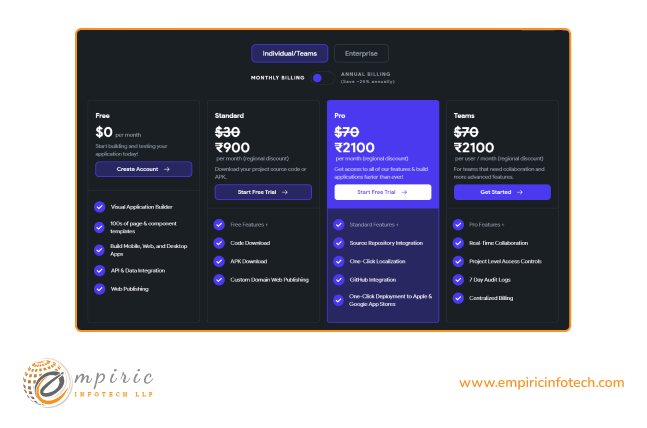
FlutterFlow has different plans for teams and individuals. They have mentioned what you get under each plan so you can make an informed decision.
Source: https://flutterflow.io/pricing
Webflow vs Bubble vs FlutterFlow
| Parameter | Webflow | Bubble | FlutterFlow |
|---|---|---|---|
| Functionality | Powerful website design, CMS, ecommerce | Complex web apps, workflows, database-driven logic | Cross-platform mobile apps (iOS & Android), utilizes Flutter framework |
| Database Integration | Yes | Yes | Yes |
| Learning Curve | Moderate (Web design knowledge beneficial) | Steep | Moderate to Steep (Mobile app & Flutter concepts) |
| Community & Support | Large, active community | Growing community | Smaller, but expanding community |
| Pricing | Site-based & account-based plans, various tiers | Free to paid tiers based on capacity needs | Free to paid tiers, evolving structure |
Build Your No-Code Solution with Empiric Infotech
Choosing the right no-code platform depends entirely on your project's needs. Webflow shines for visually stunning websites, Bubble excels in complex app logic, and FlutterFlow brings cross-platform mobile apps within reach. The beauty is that you have options!
If you find yourself needing guidance along the way or want to streamline the development process, consider partnering with a team, experienced in these technologies. At Empiric Infotech, we specialize in Webflow, Bubble, and FlutterFlow development. We can help you analyze your needs and guide you towards the best solution for achieving your goals.
Let's schedule a 30-minute call with our expert to discuss you project requirements.